The Mays Enterprise annual plan is paid once a year from an invoice, by bank. You get the invoice by email as soon as you sign your agreement (see Signing your Mays agreement). It is due in 14 days.
The invoice lists, for each location, the Enterprise plan and the iPhone Duo lease. If you signed under a show offer, the discount is on the plan line. In Florida, sales tax is charged on the phone lease only, at your county's rate.
Pay the invoice
Open the invoice from the link in the email, or go to Settings → Billing and tap Pay invoice. The invoice page offers two ways to pay.
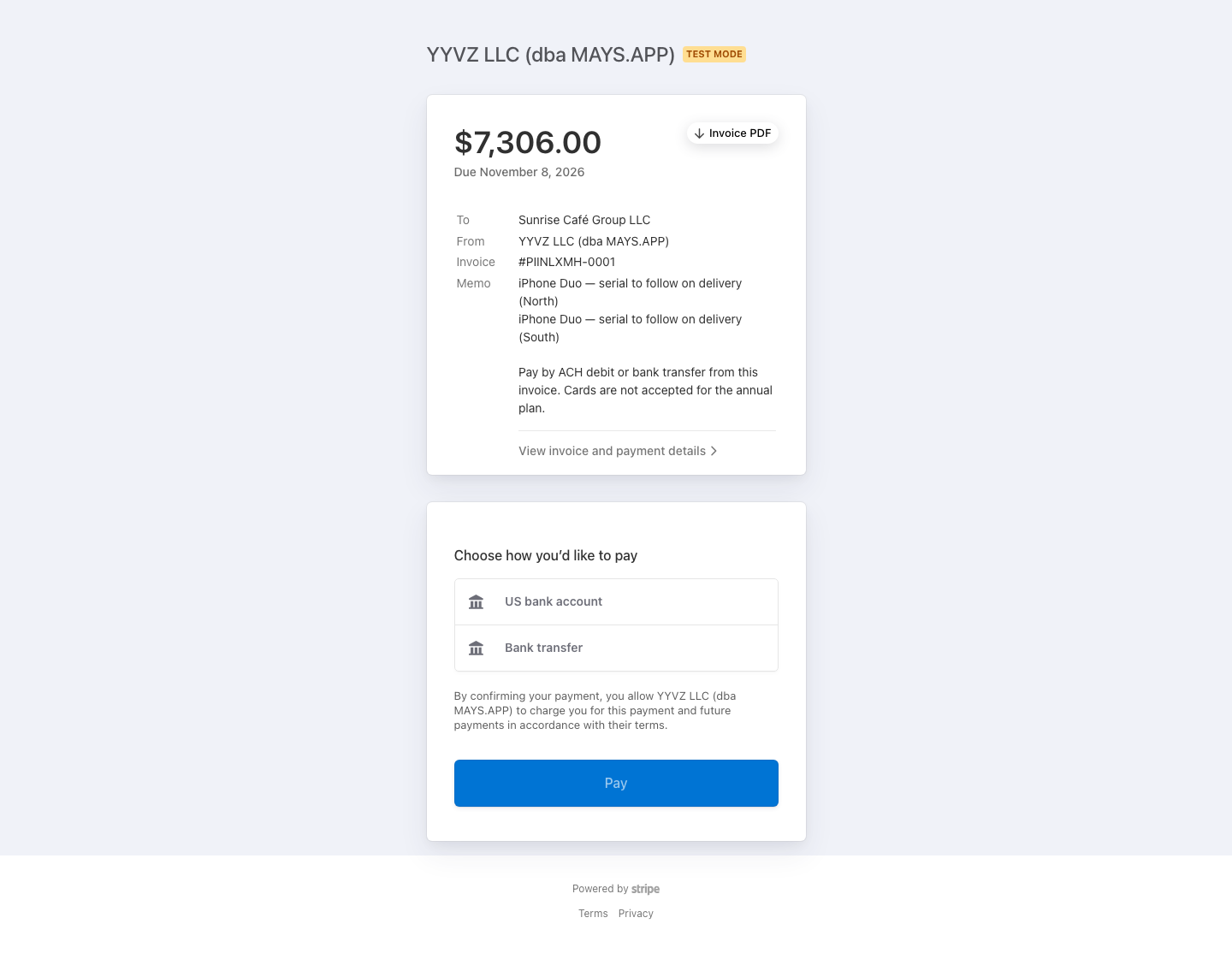
ACH debit (US bank account)
- Choose US bank account and enter your email and full name.
- Find your bank and sign in to it, or tap Enter bank details manually and type the routing and account numbers.
- Tap Pay.
If you typed the numbers yourself, your bank first gets a $0.01 deposit within 1–2 business days. Its description has a 6-digit code that starts with SM. Open the invoice again, tap Verify bank account and enter that code. The payment starts after that.
An ACH payment takes a few business days to clear. Your bank account is saved, and each following year is debited automatically on your renewal date. Each year's invoice and its receipt are under View invoice in Settings → Billing.
Wire or bank transfer
Choose Bank transfer. The invoice shows the bank name, the routing number and an account number that belongs to you. Send the invoice total to exactly those details, by wire or ACH credit from your bank. Use them only for Mays: they tie your payment to your invoice.
Each year's invoice arrives by email, and you pay it the same way.
Zelle
Reply to the invoice email and ask for Zelle details. Mays marks the invoice paid once the money has arrived.
Cards
Cards are not accepted for the annual plan, so no card option appears on the invoice. If one of your locations already pays for its own monthly plan by card, see the next section.
When your locations switch to Enterprise
Your locations switch to Enterprise when the invoice is paid: when the ACH payment or transfer has cleared, or when Mays has received your Zelle payment. Until then they stay on the plan they have now.
When they switch:
- Every location in your agreement gets the Enterprise modules and the Enterprise monthly AI credit allowance.
- A location that paid for its own monthly plan by card has that plan cancelled. The unused part of the period it already paid for is refunded to the card.
- The plan is paid for the year shown on the invoice, for example October 25, 2026 – October 25, 2027.
See your plan in Settings → Billing
Go to Settings → Billing. While the invoice is open, the card at the top says Enterprise annual plan — invoice sent, waiting for payment and lists the locations it covers.

Once it's paid, the card shows the date you're paid through, the renewal date and how you pay, with automatic bank debit when renewals are taken from your bank account. View invoice opens the latest invoice and its receipt.

While you're on the Enterprise plan, Settings → Billing shows it in place of the monthly plan choices, and each covered location is marked Enterprise annual plan (also on the location's Billing & Credits tab). You can still buy extra AI credits.
Anyone who can open Settings → Billing sees this line. Only people whose role can edit organization settings see the Pay invoice and View invoice buttons.
Questions
Question | Answer |
|---|---|
I can't find the invoice email. | Go to Settings → Billing and tap Pay invoice, or ask Mays to send it again. |
I paid but the card still says waiting for payment. | ACH and bank transfers take a few business days to clear. The card changes as soon as the payment arrives. |
Can I change how I pay next year? | Yes. Tell Mays before your renewal date. |
Can I pay by card? | No. The annual plan is paid by bank only. |
For anything else, see Getting help and support tickets.