The top of the Time Clock page shows who's on the clock right now and how today's shifts are going. Mays also alerts managers when someone scheduled hasn't clocked in.
This works at locations that build their schedule in Mays (Scheduling, Pro plan).
Who's working now and today's shifts
Where: Scheduling → Time Clock on the web. Pick the location in the sidebar.
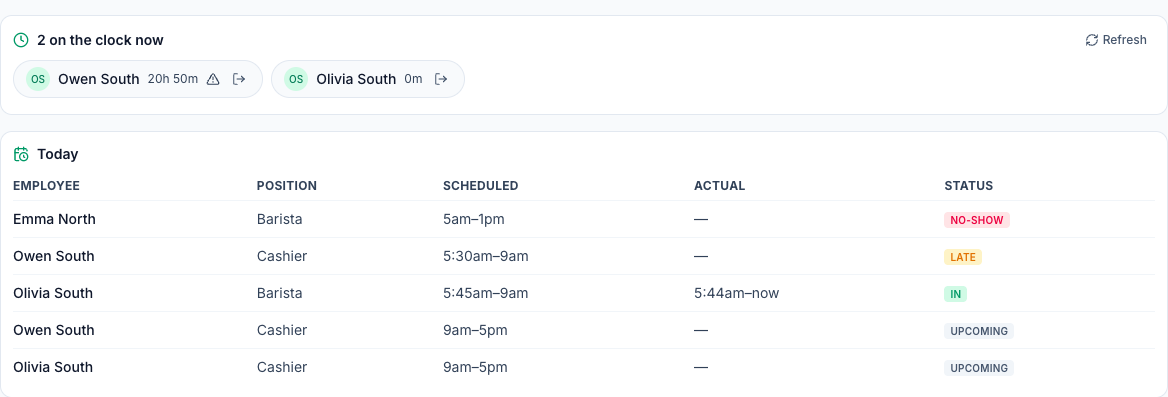
On the clock now lists everyone with an open punch at the location and how long they've been on. Small icons mark someone On break (hover over it to see for how long), Outside geofence, or with No GPS (no location for that punch). Someone who forgot to clock out yesterday also shows here, with a long time — fix it on the timesheet. The list refreshes every 30 seconds; click Refresh to update it now.
Force clock-out (the arrow next to a name) asks Clock {name} out now? Their punch ends at the current time. and, when you click OK, clocks that person out. They get a Time punch closed notification. It's refused for a shift in a closed pay period, and the reason is shown: Pay period is closed — reopen it first.
Today lists every published shift at the location that starts today, with the scheduled and actual times and a status:
Status | Meaning |
|---|---|
Upcoming | Not started yet, or started less than the late threshold ago. |
Late | Started, no clock-in yet. |
No-show | Still no clock-in after the no-show threshold. |
In / Late in | Clocked in — on time, or after the late threshold. |
Done | Clocked in and out. |
Sick, Call-out, Left late | You marked the shift (see below). |
Doubles. Someone working two shifts at the location today has a row for each, and both read (double) — On shift (double), Late in (double) or Done (double). One clock-in counts for both: if they're still on the clock from their first shift, or clocked back in between the two, the second shift shows On shift (double), never No-show, and the actual time is when they first clocked in. If they left after the first shift and never came back, the second shift still turns Late and then No-show.
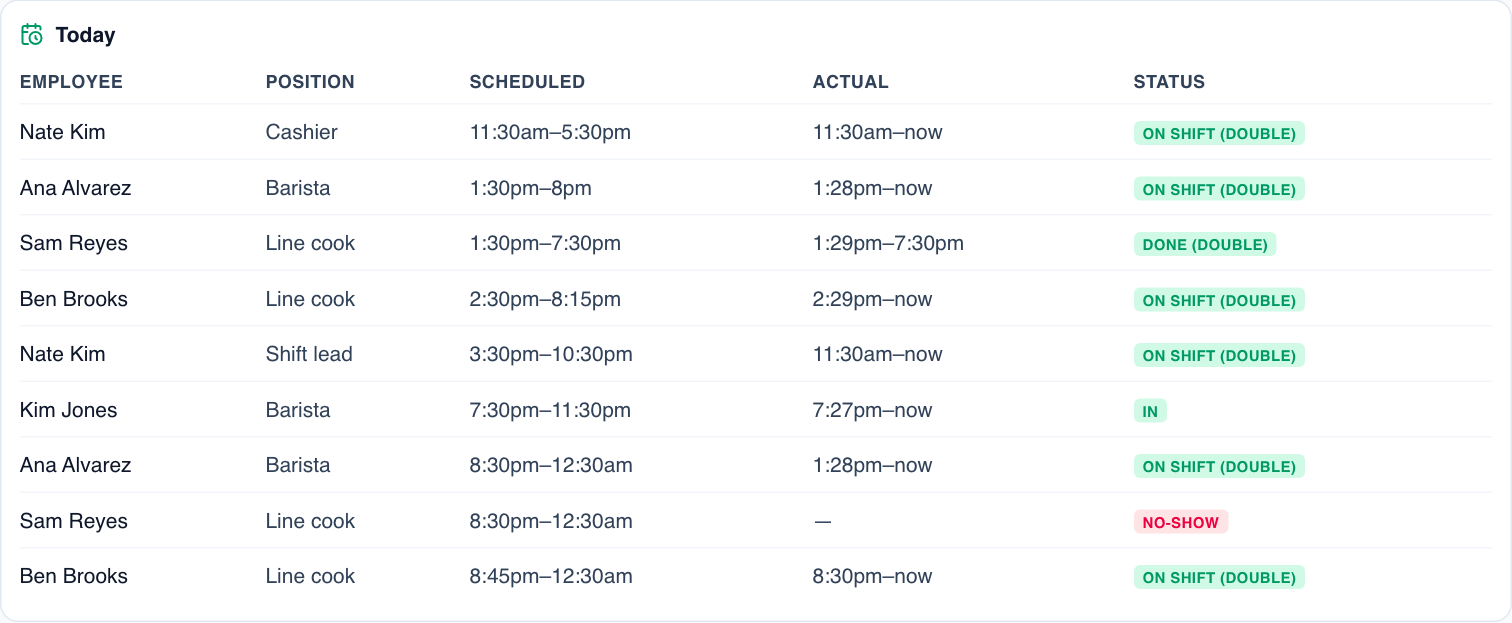
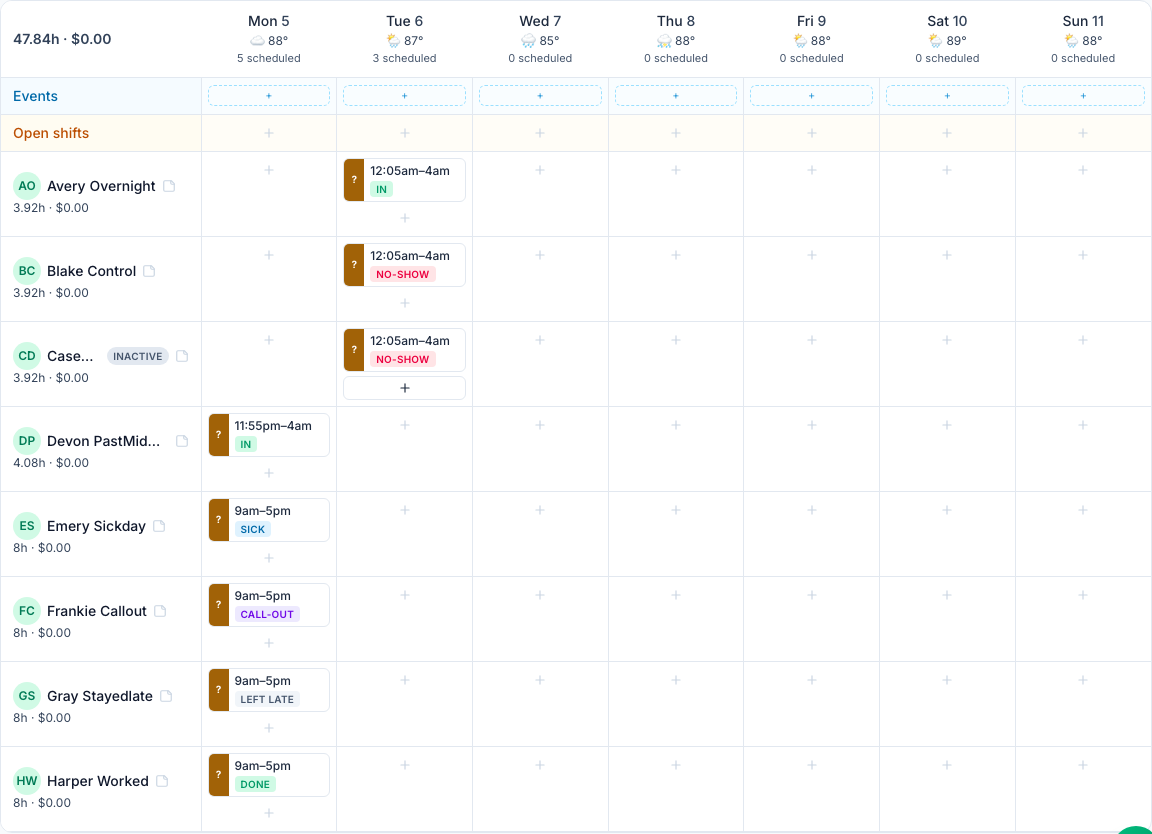
The Today table is for managers and admins. The schedule grid shows the same Late, No-show, In, Late in and Done chips on each shift, and your own Sick, Call-out and Left late marks.
Set when someone counts as late
On the location's Scheduling tab → Time clock card:
- Alert managers when late by — 5 to 60 minutes (10 by default).
- Mark as no-show after — 15 to 120 minutes (30 by default). It must be longer than the late setting: choices that aren't are greyed out, in both lists, and Mays refuses them.
These are separate from the Grace period, which only affects rounding and approvals — see Grace periods, rounding and auto-approval.
Late and no-show alerts
Mays checks every five minutes and sends each alert once per shift:
Notification | Who gets it | When |
|---|---|---|
Shift starting soon — Your shift at South starts at 9am. | The employee | About an hour before the shift — not for a shift you've marked Sick, Call-out or No-show. |
Late clock-in — No clock-in from Owen South for the 5:30am shift at South. | Managers and admins assigned to the location | Once the late threshold passes with no clock-in. |
Possible no-show — same wording | The same managers and admins | Once the no-show threshold passes. |
- Alerts stop as soon as the person clocks in, or once you mark the shift.
- No alerts for people who've left. Once someone is deactivated or deleted, their shifts still on the schedule raise no Late clock-in or Possible no-show alerts, and they get no Shift starting soon reminder. The shifts stay on the schedule, under the person marked Inactive: reassign them, offer them up or delete them yourself.
- Overnight shifts. Clocking in at 11:50pm for a shift that starts at 12:05am counts for that shift, so it isn't reported late or a no-show. The same goes for clocking in just after midnight for a shift that started just before.
- No false alerts on a double. Someone still on the clock from their first shift — or clocked back in between shifts — isn't reported late or a no-show for their second one. Clocking out at the end of the first shift and not coming back still alerts.
- Alerts can't be switched off for a location. Each manager can turn them off for themselves in the app under Profile → Notifications → Schedule — which also turns off their other schedule notifications. See Notifications.
- Mays can also phone a late opener automatically; that's set up under Automation & AI. See Late clock-in phone calls.
Mark a shift sick, call-out or no-show
- On the web, open Scheduling → Schedule and click the shift.
- In Attendance, choose No-show, Late, Sick, Call-out or Left late. It saves straight away.
- To undo, choose Clear.
The Attendance box shows the shift's current mark when you open it, or Mark attendance… when there's none.
Marks are for your records: they show in the Today table and in Scheduling → Reports → Attendance, and they stop the alerts and the Shift starting soon reminder. They don't change hours or pay. You can't mark attendance in the app.
In the app
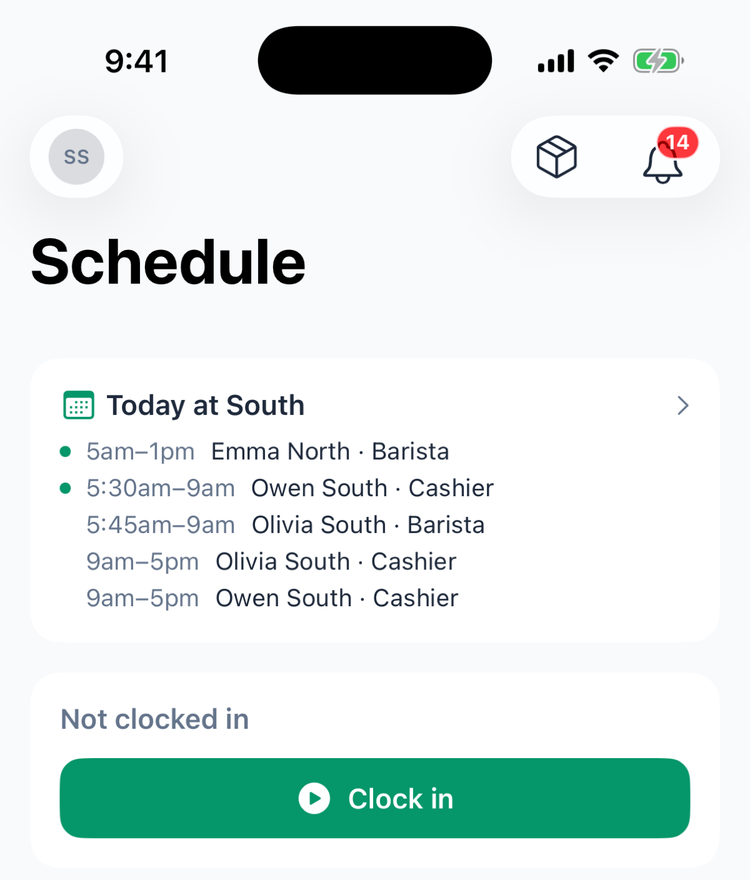
Managers see a Today at South card at the top of the Schedule tab with today's shifts at their location. A green dot means the shift is happening now — it doesn't show whether the person clocked in. Tap the card to open the schedule; with several locations, tap the name to switch.
The manager schedule in the app (Manage schedule on iPhone, Manager Schedule on Android) shows who's on the clock now and who's on a break — on iPhone with the time the break started (On break since 8:03am).
Good to know
- The Attendance report reads the time clock too. A shift clocked into late counts as Late, and a shift with no clock-in after the no-show time counts as a No-show, whether or not you marked it; your own mark always wins. The second shift of a double worked on one clock-in isn't counted as a no-show. Call-outs are in its Call-outs column.
- Locations on the 7shifts schedule don't get the Today table or these alerts: Today attendance isn't available for 7shifts-synced locations yet.
- Only published shifts with someone assigned count. Open shifts and drafts don't.
- The employee is never alerted about their own lateness, only reminded before the shift.
- Clocking back in between two shifts. When the punch is equally close to the shift that just ended and the next one, Mays links it to the next one (unless Prevent early clock-in would refuse that). This works the same when the two shifts are either side of midnight. Hours and pay always come from the punches themselves.
- Which shift a clock-in counts for. Mays picks the person's shift at that location closest to the time they clock in: any shift that starts that day, or one on the day before or after that's within 4 hours.